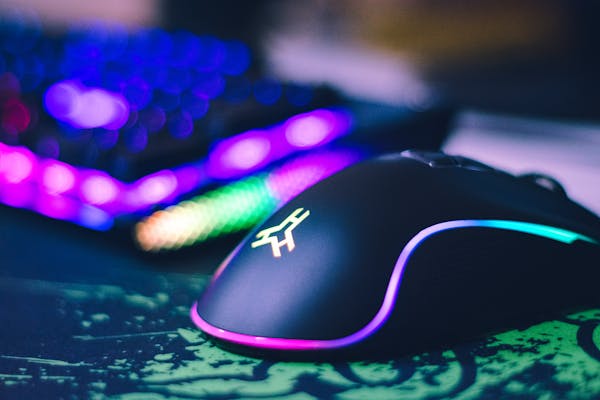
A gaming mouse is an essential tool for gamers seeking precision and performance. It features high-DPI sensors for accurate tracking, customizable buttons for assigning complex commands, and ergonomic designs to enhance comfort during long sessions. Many models offer adjustable weights and RGB lighting for personalization. The advanced software allows players to fine-tune settings, such as sensitivity and macros, tailored to individual preferences and game types. With these features, a gaming mouse can significantly improve reaction times and overall gameplay, providing a competitive edge in various gaming scenarios.
When it comes to gaming, having the right gear can be the difference between a crushing defeat and a triumphant victory. Among the many peripherals that gamers invest in, the gaming mouse is arguably one of the most crucial. It’s not just about having a sleek design or flashy RGB lights; the right gaming mouse can enhance your precision, comfort, and overall performance. But with so many options on the market, how do you choose the perfect one for your play style? This comprehensive guide will help you navigate through the maze of features and specifications to find the gaming mouse that suits your needs best.
Understanding Your Play Style
Before diving into technical specifications, it’s essential to understand your gaming style. Are you a competitive esports player who needs pinpoint accuracy and rapid response times? Or are you a casual gamer who prioritizes comfort and aesthetics? Identifying your play style will help narrow down your choices.
- FPS (First-Person Shooter) Players: If you’re an FPS enthusiast, you’ll want a mouse that offers high precision and responsiveness. Look for a mouse with a high DPI (dots per inch) range, which determines the sensitivity of the cursor. Additionally, consider a mouse with customizable buttons and a lightweight design to facilitate quick movements.
- MOBA (Multiplayer Online Battle Arena) Players: MOBA players often need multiple programmable buttons for various in-game actions. A mouse with extra buttons and easy-to-reach side controls will enhance your gaming experience. Ergonomics are also crucial, as you’ll likely be using the mouse for extended periods.
- MMORPG (Massively Multiplayer Online Role-Playing Game) Players: For MMORPGs, a mouse with a plethora of programmable buttons is a must. Look for mice with customizable profiles and a high number of side buttons to manage your complex skill rotations and inventory management.
- RTS (Real-Time Strategy) Players: RTS gamers benefit from a mouse that offers precise control and multiple programmable buttons. A comfortable design and adjustable DPI settings will help you manage your units and resources effectively.
Key Features to Consider
Once you’ve identified your play style, it’s time to delve into the features that matter most for your gaming mouse.
- DPI and Sensitivity: DPI, or dots per inch, measures how sensitive your mouse is to movement. Higher DPI means higher sensitivity, which is crucial for fast-paced games. Many gaming mice allow you to adjust DPI settings on-the-fly, letting you switch between high sensitivity for quick maneuvers and lower sensitivity for precision aiming.
- Polling Rate: The polling rate, measured in Hz, determines how often your mouse reports its position to your computer. A higher polling rate can result in smoother and more responsive gameplay. For competitive gaming, a polling rate of 1000Hz is generally preferred.
- Ergonomics and Comfort: Comfort is key, especially if you spend long hours gaming. Look for a mouse that fits your hand size and grip style. Mice come in various shapes and sizes, so finding one that feels natural and reduces strain is crucial. Consider materials, weight, and design features such as thumb rests and adjustable weights.
- Button Customization: Programmable buttons are a significant advantage for many gamers. Check if the mouse has software that allows you to assign different functions to the buttons. This feature is particularly valuable for MMO and MOBA players who need to execute complex commands quickly.
- Build Quality and Durability: A durable mouse can withstand the rigors of intense gaming sessions. Look for mice made from high-quality materials and those with reinforced switches. Additionally, consider the type of feet (or skates) the mouse uses; high-quality feet will ensure smooth and precise movements.
- Wired vs. Wireless: The debate between wired and wireless gaming mice continues. Wired mice generally offer lower latency and consistent performance, which is crucial for competitive gaming. However, wireless technology has improved significantly, with many modern wireless mice offering excellent performance and battery life.
- RGB Lighting: While not a performance feature, RGB lighting can enhance the aesthetic appeal of your gaming setup. Many mice offer customizable lighting options, allowing you to match your mouse with your gaming rig and personal style.
Trying Before You Buy
Whenever possible, try out a mouse before making a purchase. Many gaming stores have demo stations where you can test different models. Pay attention to how the mouse feels in your hand, how the buttons respond, and whether it fits comfortably with your grip style. If testing in-store isn’t an option, check online reviews and user feedback to gauge how well the mouse performs in real-world scenarios.